
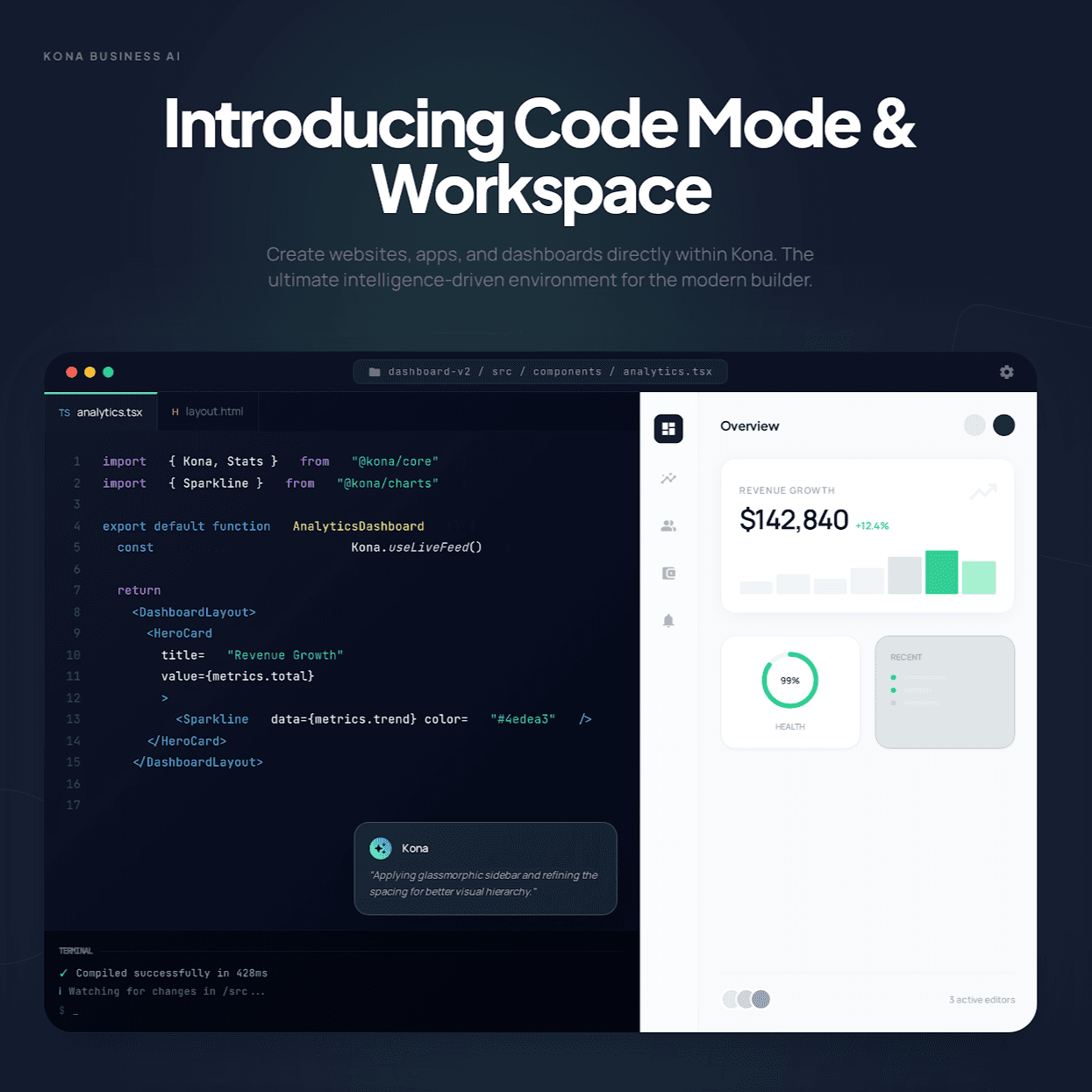
Kona is expanding from research and planning into working digital output. With Code Mode and Code Workspace, the product can now help users create pages, apps, dashboards, and front-end concepts inside a dedicated environment built for iteration.
What Kona Code Mode is
Code Mode is the prompt-first building layer. You describe the result you want in plain language, and Kona starts generating the interface. The experience is designed for both technical and non-technical users who want to move from an idea to something concrete without spending the first hour on setup.
That makes it useful for teams who need to ship a first version quickly, compare visual directions, or turn a rough concept into something reviewable while the idea is still fresh.
Prompt-first building
Start with a short brief and let Kona turn it into a working landing page, dashboard, or app shell.
Visible project structure
Keep files, editor tabs, and generated output inside one workspace instead of losing context across separate tools.
Live preview loop
Review the interface as it changes so follow-up edits become faster, clearer, and more specific.
How Code Workspace works
Code Workspace is the part that makes the build easier to understand and refine. Instead of returning a one-off answer, Kona works inside a visible project environment that keeps the files and live preview aligned. That gives you a clearer sense of what has been built and what should change next.
The workflow is straightforward: describe the build, generate the first pass, then keep directing focused edits as the project evolves. This is where the workspace becomes more useful than a simple chat output because the work remains connected as one project.
What you can build in Kona Code Workspace
The strongest early use cases are front-end deliverables that benefit from a visible first pass and quick follow-up edits. That includes launch pages, marketing pages, dashboards, lightweight internal tools, and product prototypes.
In practice, this means teams can use Kona to explore design direction, structure content, create interactive UI concepts, and pressure-test ideas before they move deeper into implementation.
Marketing and launch pages
Create high-quality landing pages, campaign pages, service pages, and product launches with a faster review loop.
Dashboards and internal tools
Build KPI dashboards, reporting views, and workflow interfaces that need both clean presentation and functional state changes.
Product prototypes
Turn ideas into interfaces your team can click through, discuss, and improve before they enter a longer engineering cycle.
Why teams will use it
The benefit is not only faster generation. The bigger gain is a cleaner review loop. When the project stays visible, it becomes easier to direct the next change, compare versions, and keep the work coherent across multiple edits.
For non-technical users, that makes the experience more approachable. For technical teams, it creates a stronger starting point to inspect, refine, and extend.
Why the workflow lands
Less switching between prompt window, code editor, and preview tab.
More useful review loops because the build remains visible as a project.
A clearer entry point for non-technical users who want to create working drafts.
A faster starting point for technical teams that want a structured first pass.
Starter prompts to try first
The best way to evaluate the new workspace is to ask for a real deliverable. Good prompts usually name the audience, the kind of interface, the visual direction, and the primary action the page or product should drive.
These examples are a good place to start if you want to understand the range quickly:
Create a landing page for a coffee shop with a warm editorial look, menu highlights, testimonials, and a booking CTA.
Build an executive revenue dashboard with KPI cards, scenario filters, pipeline visibility, and a short insight rail.
Generate a SaaS settings workspace with navigation, usage insights, billing controls, and an audit activity panel.
If you want to try it directly, open Build & code in Workspace. If you are new to Kona more broadly, you can also start a workspace and explore how code generation now fits alongside the rest of the product.